If you are an Administrator and want to force users to select from a set of Tags you have created, Tag Groups are for you. This is useful if your Users use Tags as an extra means of organization, but there is inconsistency in what the Tag is called. For example, you may have Messages tagged for the Northeast Region, but some users use "NE", others use "Northeast", and other don't use any capitalization at all.
Creating Tag Groups
Only PoliteMail Administrators or System Administrators can create Tag Groups. Tag Groups allow a user to select from a group of possible tags. For example, a "Departments" Tab Group could be created with possible tags of HR, IT, Sales, Operations, Legal, etc.
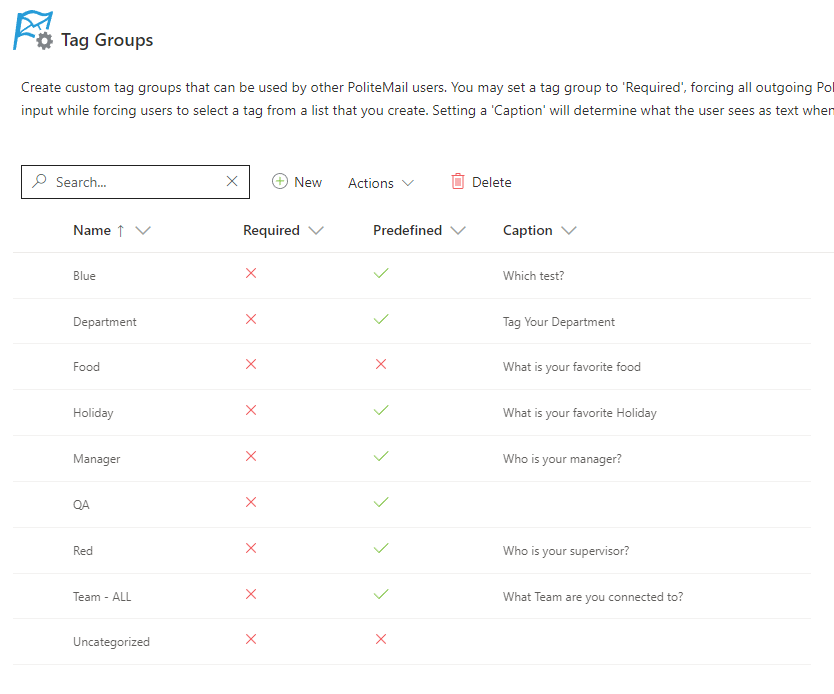 Go to PoliteMail > Account > Tag Groups
- Click New (Add Group in v 4.9+) to name a new group. A window appears.
- Enter the name of the new group.
- You can set this Group to Required, Predefined, neither, or both:
- Required: The user must assign a tag before sending, and will receive a prompt before the message is sent to assign Tags to the email. They can choose from the list of Tags in the Group, or enter their own. If they enter their own, it is automatically added to the Tab Group.
- Predefined: If the user tags the message, they must select from the Tags assigned to the Group and cannot enter their own.
- Required and Predefined: The user is required to select a Tag, and must select from the Tags assigned to the Group.
- Nothing Checked: The user may choose to not use any Tags, may choose a Tag from the Group, or may enter their own.
- Entering a Caption will determine what text will appear in the dialogue window when prompted to set a tag for that message.
- Add tags to be associated with this group in the Tags box.
- In version 4.9x, you must click 'Create Group' first. Once your Group is created, click on it to select it. You’ll now be presented with a window where you can add your tags. Click on Add New Record to add tags associated with this group. Once you’ve added the tag, click Update.
- Click Save when finished.
 Go to PoliteMail > Account > Tag Groups
